Make Google Play screenshots →Free · no sign-up · no watermark · nothing uploaded
Everything you need
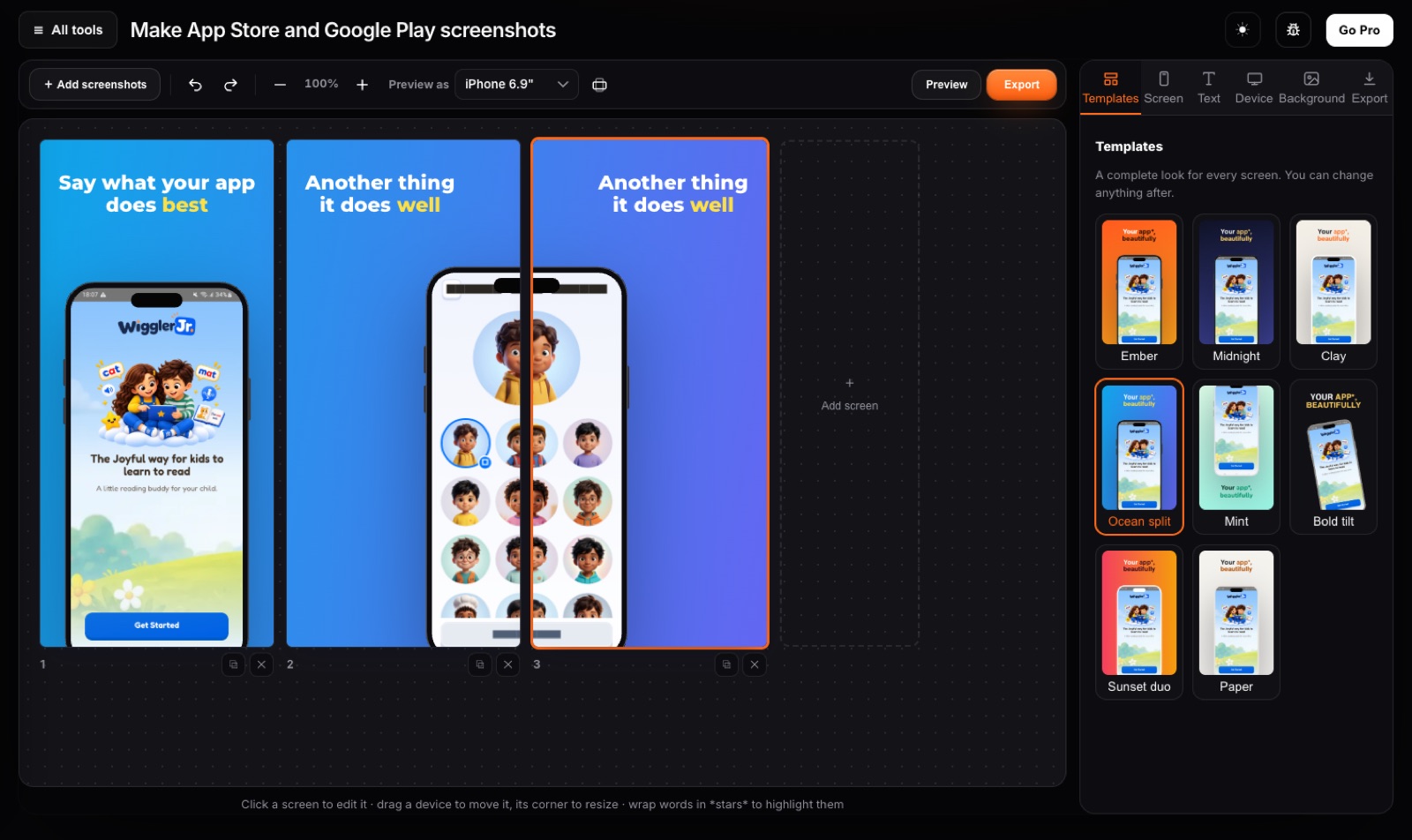
Every store size at onceiPhone 6.9" and 6.5", iPad 13", Google Play phone and tablets. Each drawn at full size, 24-bit PNG or JPG.
7 devices, 3 frame stylesPhone with island or notch, Android, tablet, laptop, browser window or no frame, in real, clay or outline style.
Layouts that sellText above or below, tilted, two devices, and one device split across two screens.
BackgroundsColour, gradient or your own picture with blur and dim, as one panorama across the whole set.
20 templatesComplete looks to start from, shown with your own screenshots. Change any colour, font or layout after, and save your own themes.
PrivateScreenshots of an app that is not out yet never leave your computer.
How to make Google Play Store screenshots
- Drop your Android screenshots into the editor, in the order you want them.
- Pick a template, then write a headline for each screen. Click any text or device to change it.
- Choose the Google Play sizes and press Save. Each one is drawn fresh at full resolution.
Private by design
Never uploadedIt runs on your computer. Safe for IDs, contracts and family photos.
No sign-up, no watermarkOpen the tool and go. Free for everyday use.
Fast, even on slow internetNo upload queue. Your own computer does the work.
Questions
Which Google Play sizes does it make?
Phone 1080 × 1920, 7" tablet 1200 × 1920 and 10" tablet 1600 × 2560, portrait or landscape. They meet Google Play Console's size and aspect rules.
Can I make the iPhone set at the same time?
Yes. Tick the App Store sizes too and the same design is drawn for every device.
Are my screenshots uploaded?
No. The editor runs in your browser, so an app that is not out yet stays private.
Is it free?
Free makes 3 screenshots, one size at a time, with no watermark. Pro makes up to 10 and saves every size in one zip.
Related tools
Ready?
Make Google Play screenshots →Free · no sign-up · no watermark · nothing uploaded